Warmth with a number.
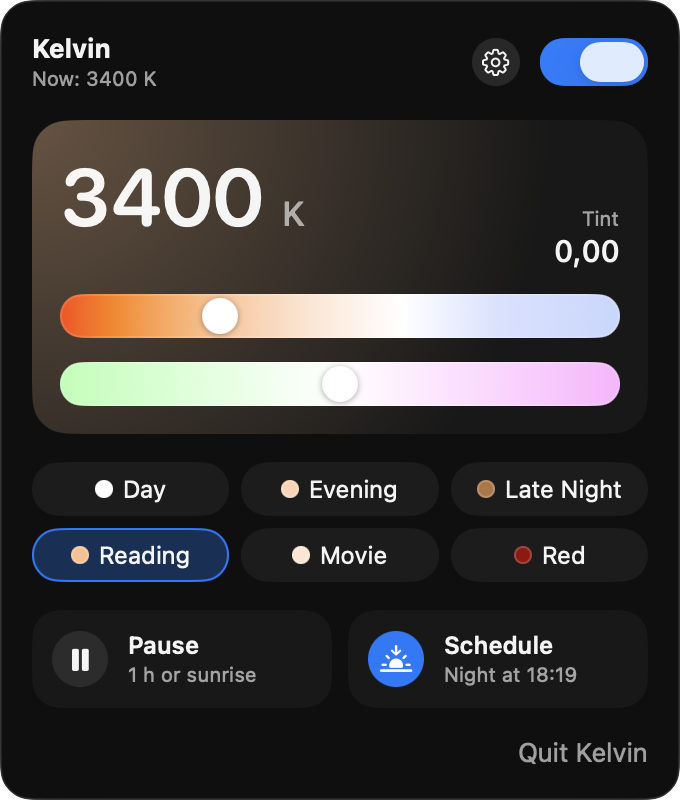
Choose an exact Kelvin value and adjust green–magenta tint. Save your favorite combinations as presets, each with its own hotkey.
 KelvinFOR MAC
A LITTLE WARMTH. A LOT OF CONTROL.
The right light for whatever comes next.
Precise screen warmth,
quietly in your menu bar.
One purchase. No subscription. macOS 26 or later.
SMALL DETAILS. EVERY DAY.
Start with a preset. Make it yours. Let Kelvin handle the transitions.
Choose an exact Kelvin value and adjust green–magenta tint. Save your favorite combinations as presets, each with its own hotkey.
Follow sunset and sunrise, or set your own hours with a gradual fade. Pause for an hour or until sunrise whenever plans change.
Hold a hotkey to peek at true colors. Set rules for individual apps and displays, so your photo work can stay neutral while your reading stays warm.
Dim below your display’s lowest brightness setting, or switch to red mode. Your screenshots and screen recordings keep their original colors.
BUILT TO STAY OUT OF YOUR WAY.
No Kelvin account. No ads or app analytics. Settings stay on your Mac, with optional iCloud preset sync through your Apple account.
Read the privacy policy
A WARMER MAC IS ON THE WAY.
Kelvin is coming soon to the Mac App Store.
One purchase includes
every feature.
AirPlay, Sidecar, and DisplayLink displays are not supported.
Questions? Get in touch